Smart Home Theater Projector Setup for Living Rooms
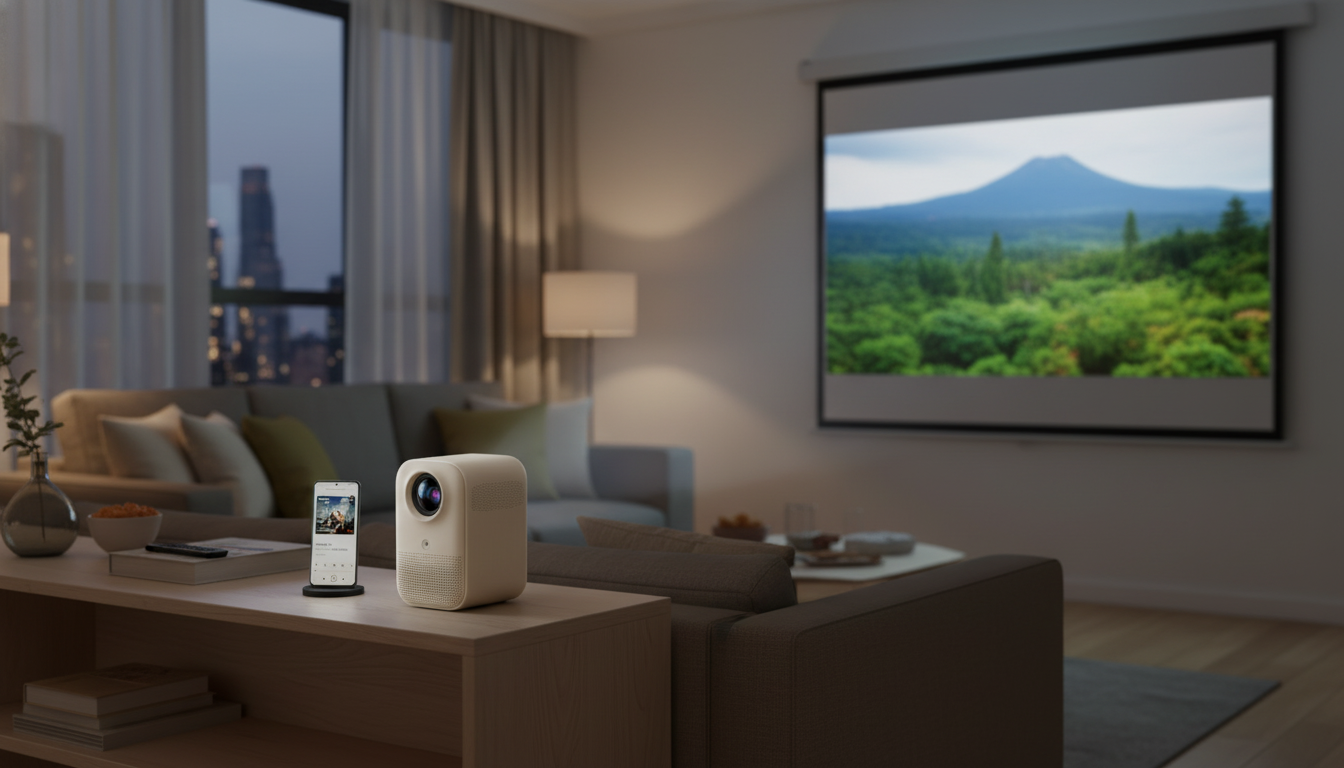
Smart Home Theater Projector for a Living-Room Cinema Setup
A smart projector can turn a spare wall or pull-down screen into a flexible home cinema—without the permanent footprint of a large TV. The best results come from balancing image quality, streaming convenience, placement realities, and the small details that make daily use feel effortless in a modern living room.
What Makes a Projector Feel “Smart” at Home
“Smart” features aren’t just about apps—they’re about reducing friction between sitting down and pressing play. Built-in streaming apps can eliminate the need for an external stick or box, keeping your console area cleaner and your input switching simpler.
Wireless connectivity matters for real-life living rooms. Dual-band Wi‑Fi helps stabilize streaming, while Bluetooth makes it easy to pair headphones for late-night viewing or connect speakers without running extra cables. Smart projectors also lean on automation: auto focus and keystone correction can quickly square up the picture when the projector sits slightly off-center on a shelf or side table.
Finally, a smart setup still needs practical ports. Multiple HDMI and USB inputs let you move between a console, a laptop, and a media drive without constant unplugging.
Key Specs That Change the Viewing Experience
Specs can look similar on product pages, but a few numbers change how movies and sports actually feel. Resolution is the big one: native resolution affects subtitle crispness, menu readability, and fine detail. Be cautious with listings that say “supports 4K”—that can mean the projector accepts a 4K signal but displays it at a lower native resolution.
Brightness is next. If the room has windows or you watch with lamps on, higher brightness and solid contrast handling will matter more than minor differences in color claims. For movie nights, contrast and black level take center stage: deeper blacks add depth to darker scenes and keep images from looking washed out.
Also confirm throw distance and image size. The same projector can look fantastic in one room and impossible in another if it can’t produce your desired screen size from your available placement spot. And don’t ignore fan noise—quiet operation keeps dialogue intelligible and makes the projector feel less like a “device” in the room. Gamers should look for low input lag and a usable Game mode that doesn’t add extra image processing.
Quick spec checklist (what to confirm before placement)
| Spec | Why it matters | What to verify |
|---|---|---|
| Native resolution | Sharper detail for films, sports, and UI | Native display resolution (not only “supports 4K”) |
| Brightness | Helps in rooms with lamps/windows | Brightness rating and real-world reviews when possible |
| Throw ratio / distance | Determines achievable screen size | Distance-to-size chart for your room depth |
| Keystone / focus | Faster alignment on shelves/stands | Auto vs manual; vertical/horizontal capabilities |
| Ports | Connects consoles, sound, and media devices | HDMI count, USB, audio out/eARC/ARC if available |
| Wireless | Casting and audio flexibility | Wi‑Fi band support; Bluetooth version and audio latency notes |
Placement Planning for a Clean Living Room
Start by choosing the surface. A dedicated screen typically improves contrast, uniformity, and perceived sharpness, while a smooth, light-colored wall can work well for casual viewing. If you’re unsure, test the wall first—then upgrade to a screen if you watch often or notice uneven color/brightness.
Next, decide how “permanent” you want the setup to be. Shelf or console placement is flexible and renter-friendly. Ceiling mounting can look cleaner long-term, especially if you want the projector out of reach and cables fully hidden.
Fast Setup Steps (From Box to Movie Night)
Getting Better Picture Quality Without Overthinking It
Audio and Control: Soundbars, Receivers, and Voice Assistants
Care, Longevity, and Everyday Reliability
A Room Setup That Feels Intentional (Not Like Temporary Gear)
A living-room cinema looks best when the tech has a “home.” A console or sideboard can anchor the zone while hiding power strips, controllers, and extra cables. A piece like the Rustic Wood Sideboard can store accessories out of sight while keeping your projector and soundbar layout clean and centered.
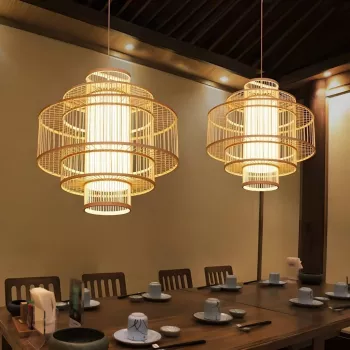
Lighting should support movie viewing, not fight it. Warm, dimmable fixtures reduce glare and keep the room comfortable; if you want statement lighting that still feels natural and relaxed, the Southeast Asian-Inspired Bamboo and Rattan Pendant Chandelier can add texture while keeping the overall mood soft.
Finally, keep furniture sightlines screen-friendly. A low-profile coffee table helps avoid blocking the image or distracting reflections; the Luxury Marble Round Coffee Table with Gold Stainless Steel Base can serve as a visual centerpiece without overpowering the viewing zone.
Helpful Tools and References
To sanity-check sizing before you commit to a spot, use the Projector Central throw distance calculator. For objective performance comparisons (including brightness and input lag), consult RTINGS projector reviews and testing methodology. If you’re building out sound, Dolby’s home theater setup and audio basics is a solid reference for speaker placement and connection options.
FAQ
Is a wall good enough, or is a screen required?
A smooth, matte, light-colored wall can look great for casual viewing, especially at night. A screen typically improves contrast, color uniformity, and consistency—especially if your wall has texture, patchwork paint, or you watch with ambient light present.
Can a smart projector replace a TV for everyday viewing?
It can, but daily convenience depends on brightness in daytime conditions, startup speed, and how often you’re willing to adjust placement/focus. You’ll also get a better “TV-like” experience by pairing it with dedicated audio and keeping the unit clean and well-ventilated.
How can gaming feel responsive on a projector?
Choose a projector with low input lag, enable Game mode, and use a wired HDMI connection from the console/PC to reduce delays. Disabling extra image processing can improve responsiveness, and wired audio (ARC/eARC or optical when available) can help avoid Bluetooth lip-sync issues.












Leave a comment