Modern Ergonomic Swivel Office Chair: Handrails + Rollers
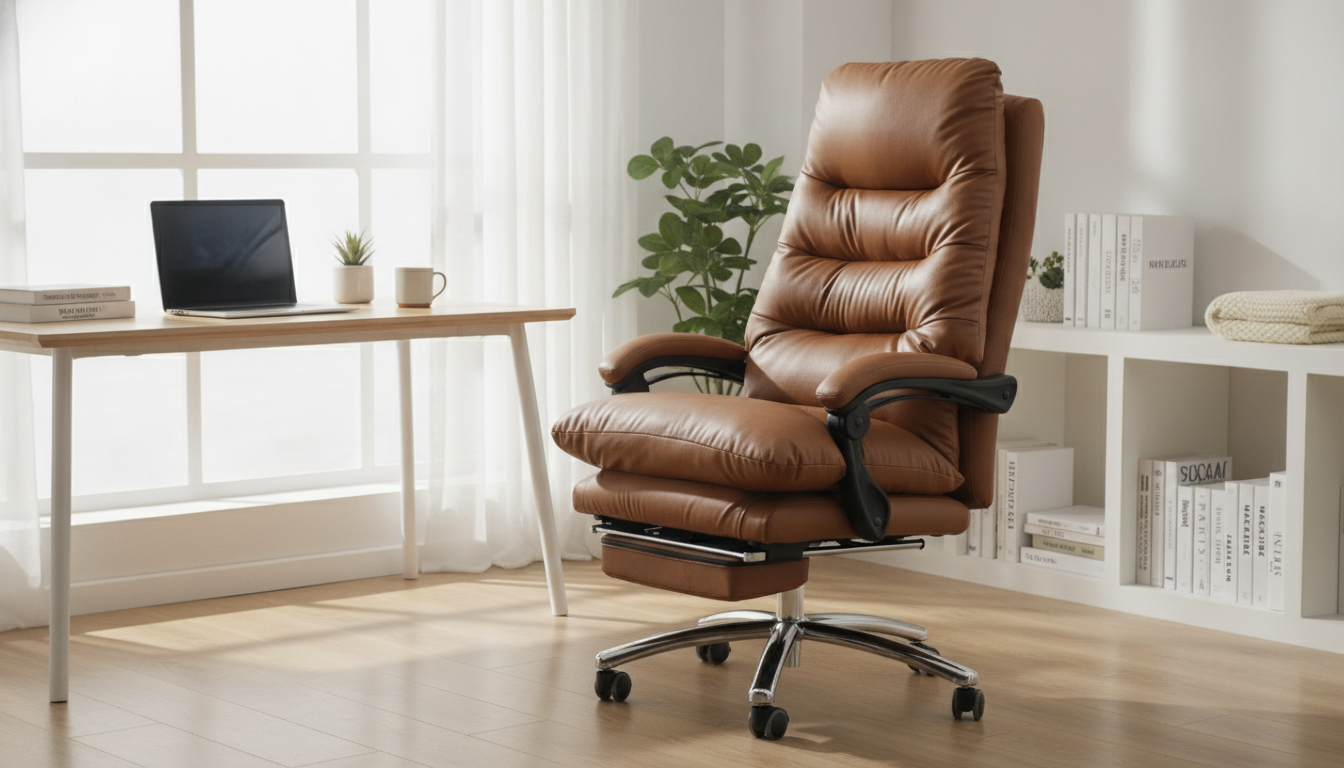
Modern Ergonomic Swivel Office Chair with Handrails and Rollers
A comfortable desk setup depends on a chair that supports natural posture, moves smoothly, and adapts to different tasks throughout the day. This modern swivel office chair pairs ergonomic shaping with supportive handrails and easy-rolling casters to help reduce strain during focused work, calls, and quick transitions around a home office or studio. If your day includes typing, turning to grab notes, or sliding between a main desk and a side surface, a chair that “goes with you” can make the workspace feel calmer and more efficient.
For a closer look at the chair featured here, explore the Modern Ergonomic Swivel Office Chair with Handrails and Rollers.
What Makes This Chair Comfortable for Daily Work
Comfort isn’t just softness—it’s the ability to stay supported while your body naturally makes small adjustments throughout the day. This chair’s design focuses on the practical details that tend to matter most during real work sessions.
- Ergonomic shaping designed to support a neutral seated posture for common desk tasks, helping you feel more “stacked” through the hips, torso, and head.
- Swivel mobility that helps reposition without twisting the torso or reaching awkwardly—especially helpful when moving between a keyboard, a notepad, and a second screen.
- Handrails that provide a stable place to rest forearms and assist with sitting/standing transitions, which can feel better during frequent start-stop workdays.
- Rollers (casters) that glide across many floor types, supporting quick movement between desk zones and reducing the need to “scoot” with repeated small pushes.
For workstation ergonomics fundamentals like neutral posture and screen height, reputable guidance is available from OSHA’s Computer Workstations eTool and the Mayo Clinic’s office ergonomics overview.
Handrails: Support, Stability, and Better Task Flow
Handrails (armrests) can be a small feature with an outsized impact when they’re used correctly. They’re not just for leaning back—they can improve day-to-day stability and reduce “floating arm” fatigue during computer work.
- Forearm support can reduce shoulder elevation during typing and mousing when aligned with desk height, helping the upper traps stay more relaxed.
- Posture resets become easier because your arms have a consistent landing spot—useful during short pauses to roll your shoulders down and re-center your spine.
- Added stability helps when turning, scooting in, or pushing back from the desk, especially if you move frequently between calls and focused tasks.
- Multi-use practicality makes the chair a better fit for mixed spaces where it’s used for desk work, reading, and casual seating.
Tip: if you notice your shoulders creeping upward, lower the chair slightly (or raise the desk surface if adjustable) so your forearms can rest lightly without shrugging.
Swivel + Rollers: Smooth Movement Without Disruption
A chair that swivels and rolls well can reduce awkward reaches and micro-strain that builds up over time. Instead of twisting your spine to face a side table or filing cabinet, you can turn your whole body as a unit and keep your torso more aligned.
- Swivel action supports turning to reach shelves, printers, or side tables with less spinal rotation—particularly useful in tighter rooms.
- Rollers make it easier to adjust distance from the desk, improving reach to keyboard and monitor without hunching forward.
- Shared workspace readiness helps when a chair needs to move in and out quickly (for example, a desk that doubles as a dining table).
- Hard floor protection: for hardwood and other delicate surfaces, consider a chair mat to reduce scuffs and keep rolling consistent.
For deeper ergonomics research and workstation setup resources, Cornell’s ergonomics hub is a strong reference: Cornell University Ergonomics (CUErgo).
Fit and Setup Tips for Better Posture
Even an ergonomic chair performs best when it’s paired with a sensible desk and monitor setup. Small adjustments can make a noticeable difference within a day or two.
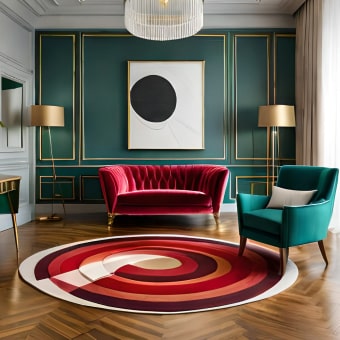
If your workspace is compact, a rolling chair pairs well with a nearby side surface for quick “turn-and-reach” access. For a style-forward option in multipurpose rooms, consider the Luxury Marble Round Coffee Table with Gold Stainless Steel Base as an accent surface for books, a laptop, or décor in a studio setup.
At-a-Glance Feature Guide
| Feature | Why it matters | Who benefits most |
|---|---|---|
| Ergonomic seat/back shaping | Encourages a more neutral sitting position over long sessions | Remote workers, students, creators |
| Swivel base | Turn and reposition without twisting the spine | Multi-monitor setups, shared desks |
| Handrails | Supports forearms and adds stability when sitting/standing | Typing-heavy work, frequent transitions |
| Rollers (casters) | Move smoothly between desk zones and reduce floor drag | Small offices, studio spaces |
| Modern profile | Blends into contemporary rooms and multipurpose areas | Home offices, apartments |
Where This Chair Fits Best
To keep the surrounding area tidy—especially if you roll between zones—smart storage helps. The Large Capacity Non-Woven Clothes & Quilt Storage Bag Organizer can store seasonal items so the chair’s casters have a clear path and fewer obstacles to catch on.
Care, Floor Protection, and Long-Term Use
FAQ
Do handrails help with typing comfort?
Yes—when handrails are aligned with your desk height, they can support your forearms and reduce shoulder tension during typing and mousing. They should allow your shoulders to stay relaxed; if you find yourself shrugging, adjust chair height or desk position.
Will the rollers work on hardwood floors?
Many casters roll on hardwood, but a chair mat is recommended for surface protection and more consistent movement. Keep floors and wheels free of grit to reduce scratching and maintain a smooth glide.
How can the swivel feature improve posture during the day?
Swiveling lets you turn your whole body toward tasks instead of repeatedly twisting your torso or reaching across your body. Use the swivel to face what you’re working on, and pair it with brief movement breaks to reduce stiffness.













Leave a comment