Hall-Effect Wireless Gamepad + Charging Stand (Multi-Device)
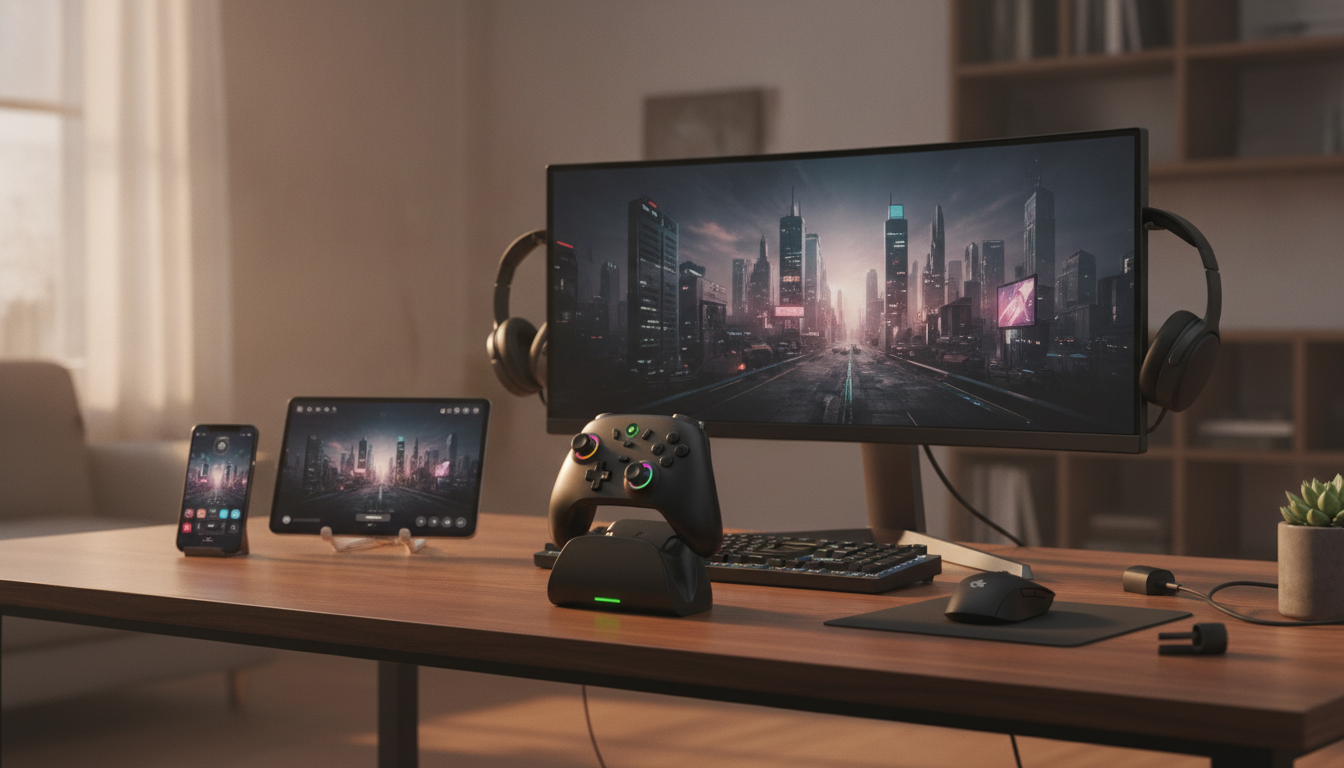
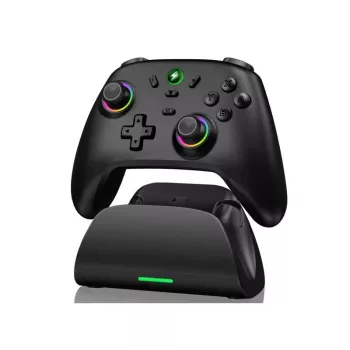
Wireless Hall-Effect Gamepad with Cross-Platform Support & Charging Stand
A wireless controller built for consistent aiming, reliable inputs, and easy day-to-day charging. Hall-effect sticks help reduce drift over time, cross-platform connectivity keeps setup flexible, and the included charging stand keeps the gamepad ready between sessions. If a cleaner setup and steadier stick feel are high priorities, the Wireless Hall-Effect Gamepad with Cross-Platform Support & Charging Stand is a practical upgrade for both casual play and competitive routines. For more guidance, see [PDF] multi-purpose device controller – UCF ECE.
What Makes a Hall-Effect Gamepad Different
Most controllers use potentiometer-based thumbsticks that rely on physical contact surfaces. Over time, that contact can wear, which may contribute to inconsistent centering or drift. Hall-effect thumbsticks measure movement using magnetic sensing, a method based on the Hall effect, rather than depending solely on friction and electrical contact inside the module. For further reading, see Joy-Con – Wikipedia.
In day-to-day play, that difference shows up as a stick response that’s designed to stay smoother and more consistent over long-term use. Hall-effect designs can be especially appealing if you put a lot of hours into games that punish small input errors—precision shooters, racing sims, sports titles, and platformers where micro-adjustments matter.
Another advantage: hall-effect sticks pair well with deadzone tuning. If a game or platform lets you set inner/outer deadzones, you can dial in responsiveness to match your playstyle—keeping movement steady when you need it and snappy when you want faster aim corrections.
Cross-Platform Support and Connection Options
Wireless play makes it easier to switch between devices without re-routing cables each time. That convenience matters most in multi-device homes, shared living rooms, and setups where one controller may rotate between PC and a secondary device.
Before pairing, confirm what your target device expects. On PC, controller compatibility often comes down to supported modes such as XInput or DirectInput, plus whether your connection is Bluetooth or a dedicated wireless receiver. Bluetooth performance can also vary by hardware generation and driver quality, so it helps to keep the basics updated and stable. For a deeper reference on how Bluetooth works at the standard level, see the Bluetooth Core Specification.
For best results on PC, make sure OS updates and controller drivers are current, then enable your platform’s controller layer if you use one. Steam, for example, can provide robust configuration and per-game profiles through Steam Input. That can help with detection, mapping, and consistent behavior across different games.
Charging Stand Convenience for Everyday Use
A charging stand reduces clutter by giving the controller a dedicated “home” when not in use. Instead of leaving a cable draped across a desk or searching for a port after a long session, you simply dock the controller and let it top off.
This is one of those quality-of-life features that becomes more valuable over time. In a living room, it supports quick pickup-and-play. At a desk, it keeps your work area tidier. And because frequent plugging and unplugging can stress charging ports, a stand can also reduce the chance of wear caused by constant cable insertion.
Key Features to Check Before Buying
Not all wireless controllers feel the same, even if they share a similar spec list. A quick pre-purchase checklist can prevent mismatches between expectations and real-world use—especially if you plan to use the controller across multiple platforms.
| Category | What to look for | Why it matters |
|---|---|---|
| Thumbsticks | Hall-effect sensing, smooth centering | Helps reduce drift and supports precise aiming |
| Wireless connection | Stable pairing, low interference issues | More consistent inputs during fast gameplay |
| Cross-platform use | Clear platform/mode support | Less friction when switching devices |
| Charging stand | Simple drop-in charging | Controller stays ready without cable hassle |
| Comfort | Grip shape and trigger travel | Reduces hand fatigue over longer sessions |
Setup Tips for a Smooth First Week
Who This Controller Fits Best
The charging stand is particularly useful in shared spaces—easy to dock, harder to misplace, and typically ready for the next player. For a straightforward option that blends hall-effect precision with everyday convenience, the Wireless Hall-Effect Gamepad with Cross-Platform Support & Charging Stand covers the basics that matter most: consistent inputs, flexible pairing, and simple charging.
More In-Stock Picks for a Tidy Setup
- Large Capacity Non-Woven Clothes & Quilt Storage Bag Organizer for managing cables, accessories, or seasonal items near your setup.
- Luxury Marble Round Coffee Table with Gold Stainless Steel Base for a living-room centerpiece that keeps controllers and chargers within reach.
- Using AI to Track and Enhance Your Daily Meditation Practice (Digital Download) for a screen-break routine between sessions.
FAQ
Do hall-effect sticks eliminate stick drift completely?
Hall-effect sensing can reduce drift risk compared with many traditional potentiometer designs, but it doesn’t guarantee drift can never happen. Calibration, firmware, debris, wear in other components, and software deadzone settings can still affect how the controller behaves over time.
Will it work on every platform with all features enabled?
Basic controls may work across many devices, but features like vibration, gyro, remapping, and wake functions can vary by platform, connection mode, and even by game. Checking supported modes and testing on the main device first helps confirm which features are available in your setup.
Can the controller be used while charging on the stand?
Many controllers can operate while receiving power, but this depends on how the controller and stand are designed. Try powered docking or wired play-through if available, and confirm behavior using the controller’s charging indicators during gameplay.















Leave a comment