Mini LED Portable Smart Projector Setup Guide for Any Room
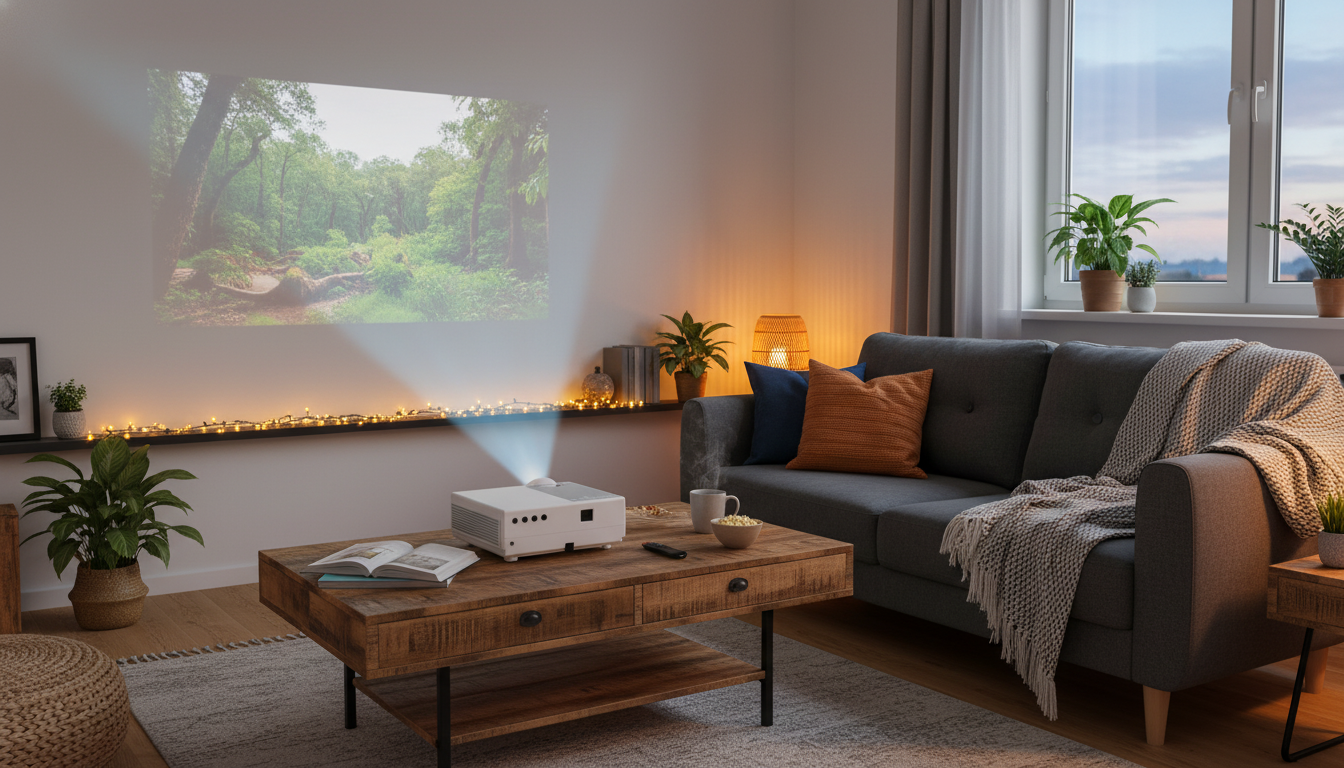
Mini LED Portable Smart Projector for Movies, Games, and Travel Setups
A compact LED smart projector can turn a blank wall into a big-screen setup in minutes—at home, in a dorm, or on the go. This guide covers what matters most for image quality, sound, connectivity, placement, and everyday use, plus a quick comparison checklist to help match a projector to the room and viewing habits.
What a portable smart projector does best
Portable smart projectors shine when flexibility matters more than a permanent, always-on TV setup. They’re designed to be simple to place, quick to connect, and easy to store when the show is over.
- Quick, flexible screen size without a permanent TV mount—ideal for bedrooms, apartments, and temporary setups.
- Easy to move between rooms and pack for trips, backyard movie nights, and presentations.
- Smart features can reduce the need for extra devices when streaming apps are built in, but performance still depends on Wi‑Fi strength and the projector’s processing power.
- Best results typically come from a darker environment and a clean, light-colored wall or a simple projector screen.
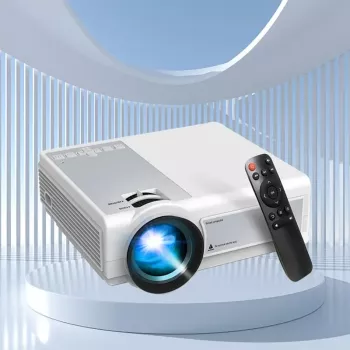
For a ready-to-go option built for these scenarios, start with the Mini LED Portable Smart Projector, then plan the rest of the setup (screen, speaker, and placement) around the room.
Image quality basics: brightness, contrast, and resolution
Projector image quality is a balance: room lighting, screen surface, and placement can matter just as much as the projector’s specs. If you want a satisfying movie night without constant tinkering, focus on the fundamentals first.
- Brightness controls how watchable the picture is with ambient light; darker rooms allow richer color and deeper blacks.
- Contrast affects perceived depth and shadow detail; controlling room light often improves contrast more than settings changes.
- Native resolution influences sharpness, especially for text and subtitles; upscaling can help but cannot fully replace a higher native resolution.
- Color performance depends on the light source, optics, and calibration; using a neutral wall/screen helps avoid color tint.
If you’re comparing models and room types, CNET’s projector buying guide is a helpful reference for understanding how brightness and contrast translate to real viewing conditions.
Quick checklist for matching the projector to the room
| Scenario | Room light | Recommended priorities | Helpful accessories |
|---|---|---|---|
| Bedroom movie nights | Low to moderate | Balanced brightness and quiet fan noise; easy focus/keystone | Simple screen or white wall; small speaker |
| Living room casual viewing | Moderate | Higher brightness; strong Wi‑Fi or streaming stick support | Light-control curtains; screen |
| Backyard/outdoor after dark | Low (night only) | Portability; stable placement; decent built-in audio | Tripod/stand; portable speaker; extension cord |
| Gaming (console) | Low to moderate | Low input lag; reliable HDMI; stable frame rate | Game mode; short HDMI cable |
| Work/travel presentations | Moderate | Fast setup; readable text; multiple inputs | Tripod; remote; carry case |
Setup and placement: distance, focus, and keystone
Most “projector problems” are actually placement problems. A few minutes of measuring and leveling can dramatically improve sharpness and reduce the need to correct the image digitally.
A simple way to make setup feel “intentional” is to create a repeatable spot: a shelf at the right height, or a stable table that’s already aligned to the wall. If your projector setup shares space with daily life, a dedicated surface can keep things tidy—like placing the projector on a sturdy living room piece such as the Luxury Marble Round Coffee Table with Gold Stainless Steel Base when you want a temporary big-screen night without rearranging the room.
Smart features and connectivity to look for
For deeper details on connection standards, see the official HDMI specification overview and the Bluetooth technology overview. Even without reading every detail, it’s useful to know that HDMI tends to be the “most stable” path for video, while Bluetooth is a flexibility upgrade for audio.
Everyday use: sound, fan noise, and maintenance
If you like a clutter-free setup, consider storing cables, a remote, and a streaming stick in one place so you can set up and pack away quickly—furniture with enclosed storage can help keep accessories from disappearing, such as the Rustic Wood Sideboard in a living room or media area.
Mini LED Portable Smart Projector: a practical pick for flexible spaces
For renters, dorm rooms, and multipurpose rooms, a compact projector can be the easiest path to a bigger screen without committing a wall to a TV. The Mini LED Portable Smart Projector fits that “set it up when you want it” style—especially when the room can be dimmed and the projector can be placed near center.
FAQ
Can a portable LED smart projector replace a TV for everyday viewing?
It can for many people, especially for night viewing in bedrooms, dorms, or apartments where a flexible screen size is a priority. The trade-offs are brightness in daytime rooms, a bit more setup time, and usually weaker built-in sound compared with a TV.
Do streaming apps work better on the projector or on a streaming stick?
Built-in apps are convenient, but performance and updates can vary by projector. A streaming stick over HDMI is often more consistent for app support and speed, assuming your Wi‑Fi connection is stable where the projector is placed.
What’s the easiest way to improve picture quality on a wall?
Control ambient light first, then use a smooth light-colored wall (or an affordable screen) and keep the projector as centered and level as possible to minimize keystone correction. Let it warm up for a few minutes before final focus, then choose an appropriate picture mode for movies or games.









Leave a comment